 Meltify
Free music player · Windows · Mac · Android · iPhone
Every playlist you love, melted into one player.
Paste a link from Spotify, YouTube, YouTube Music, Apple Music, Deezer or eSound. Meltify finds every song, saves it to your device and plays it offline, with lyrics that light up word by word.
How it works
From a link to offline in three steps.
No accounts to connect and no API keys to find. If you can copy a playlist link, you can use Meltify.
-
Paste a link
Any public playlist, album or song, like
open.spotify.com/playlist/…ormusic.youtube.com/playlist?list=…. Meltify tells you which service it detected. -
Meltify finds each song
Every track is matched on YouTube Music by title, artist and length (within 3 seconds), skipping live versions, remixes and sped-up edits you didn't ask for.
-
Download and play
Songs are saved as M4A with the title, artist and cover art built in, up to six at a time. After that they play anywhere, with no signal.
Lyrics
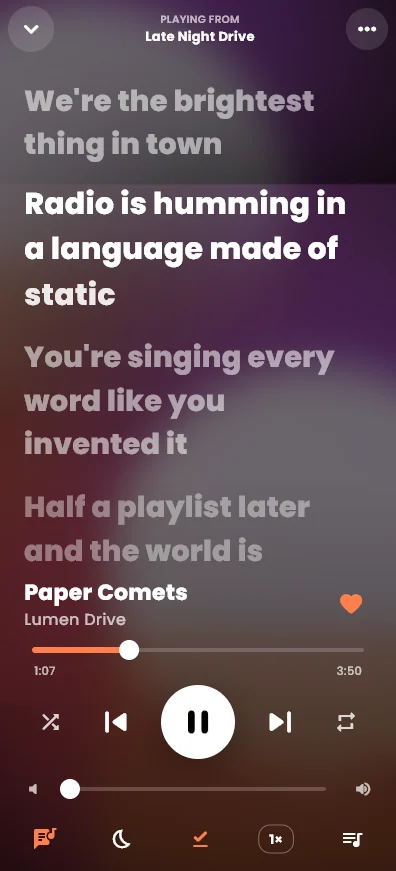
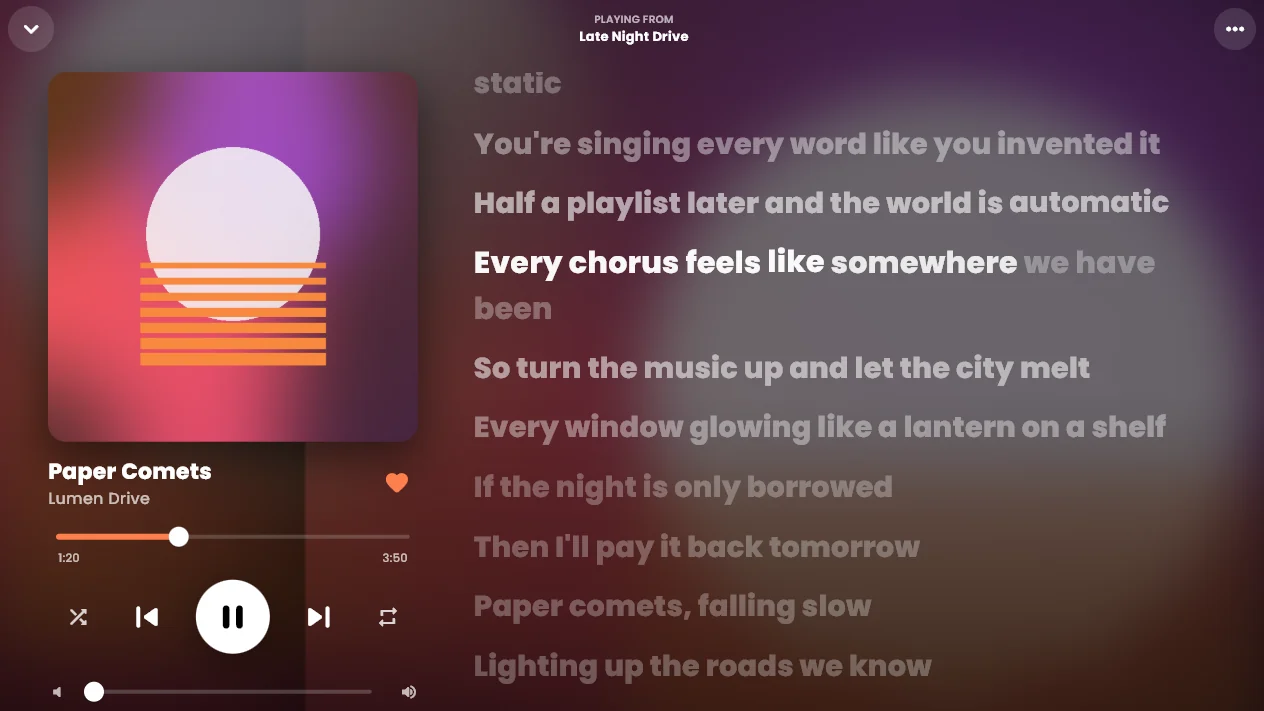
Lyrics that move with the song.
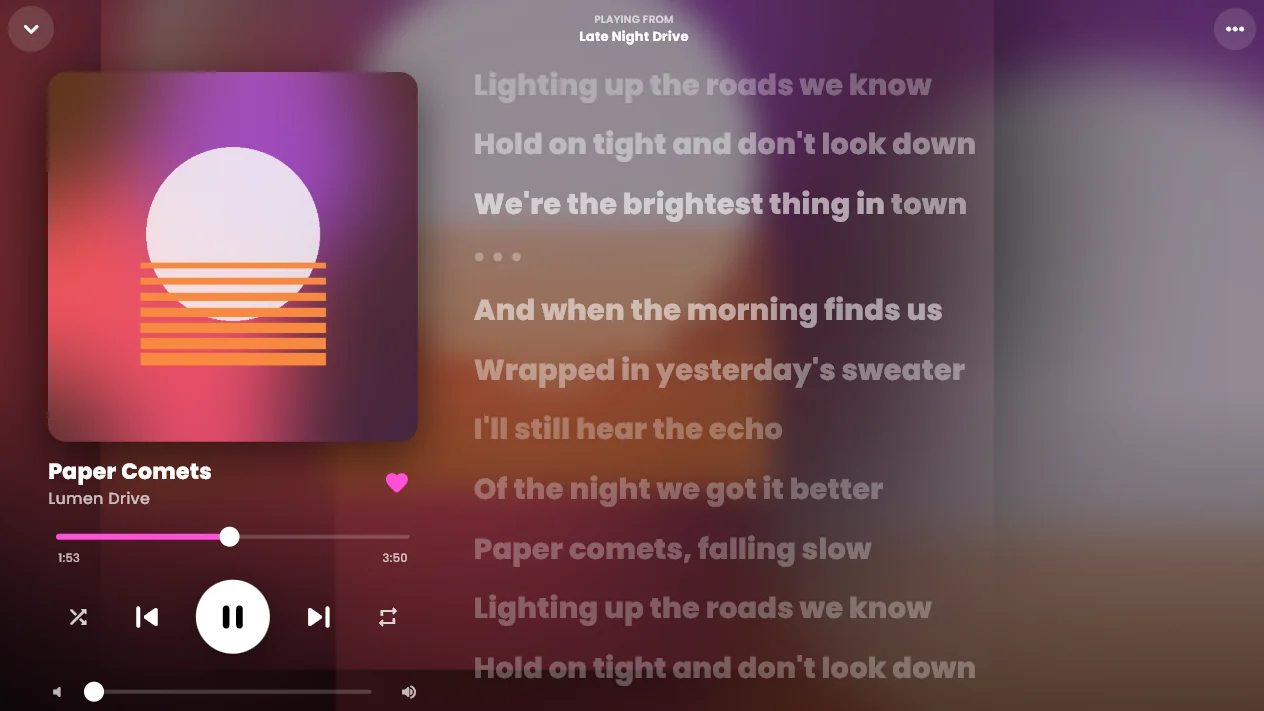
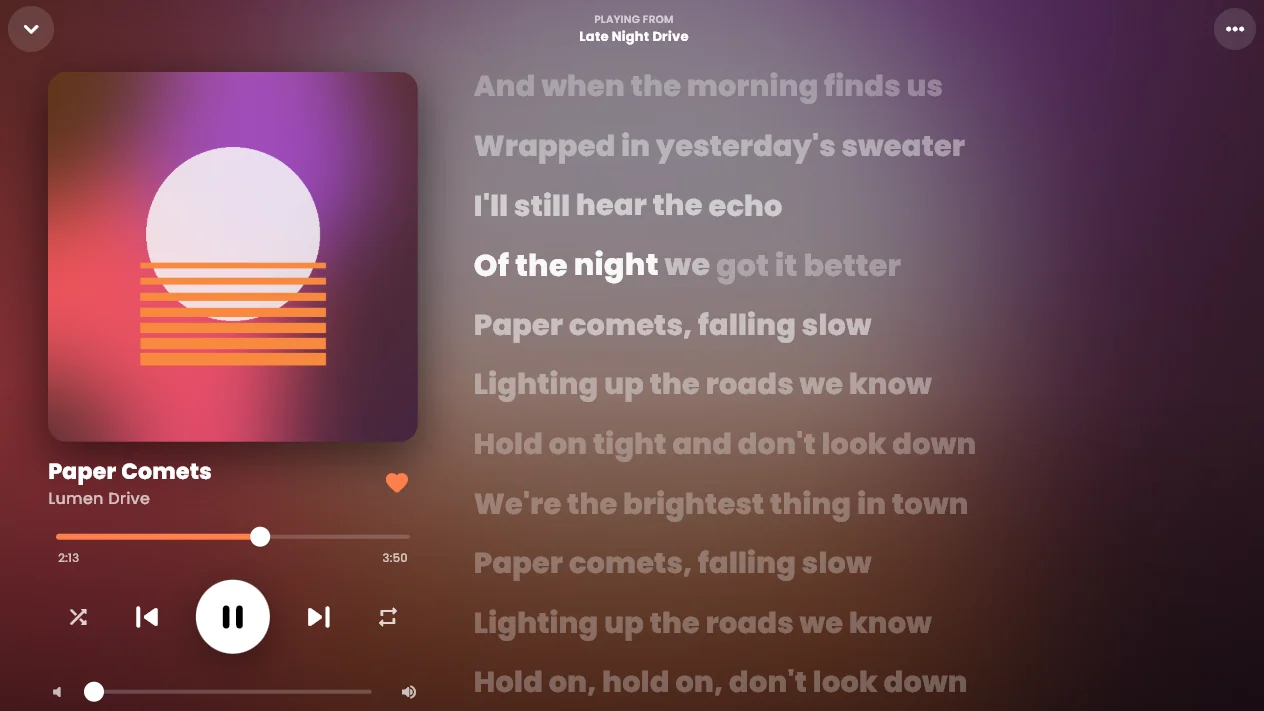
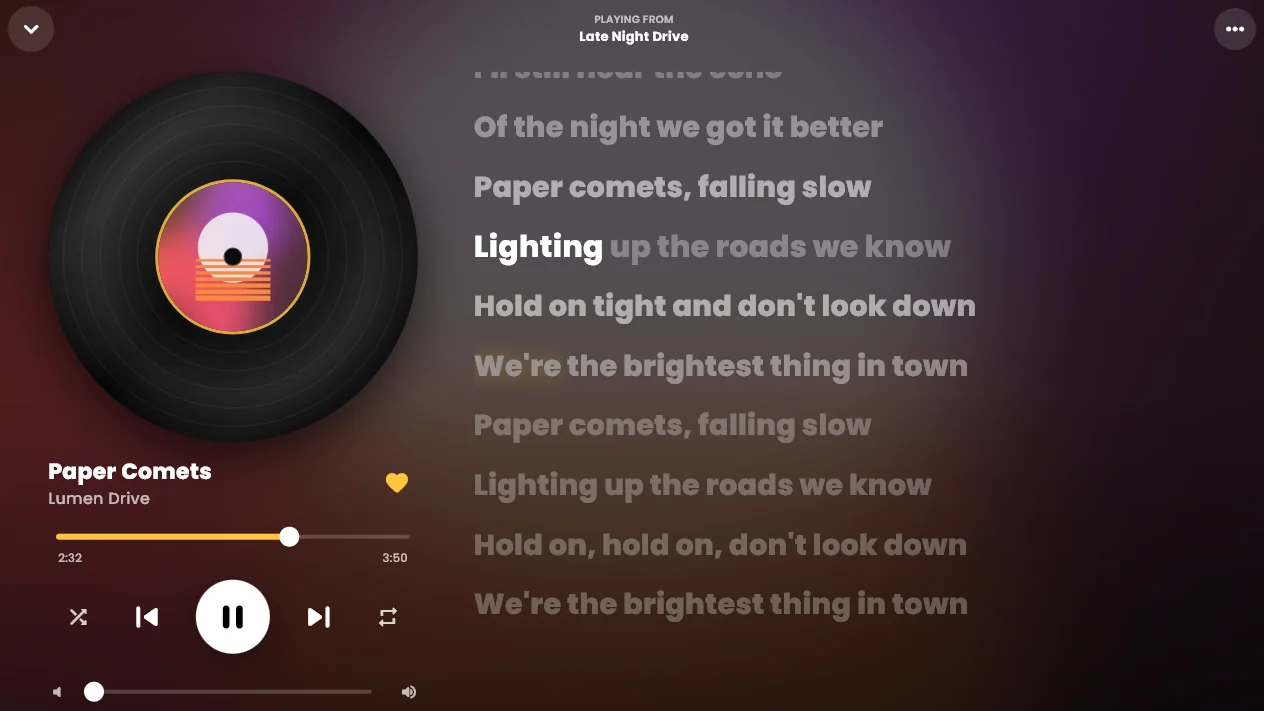
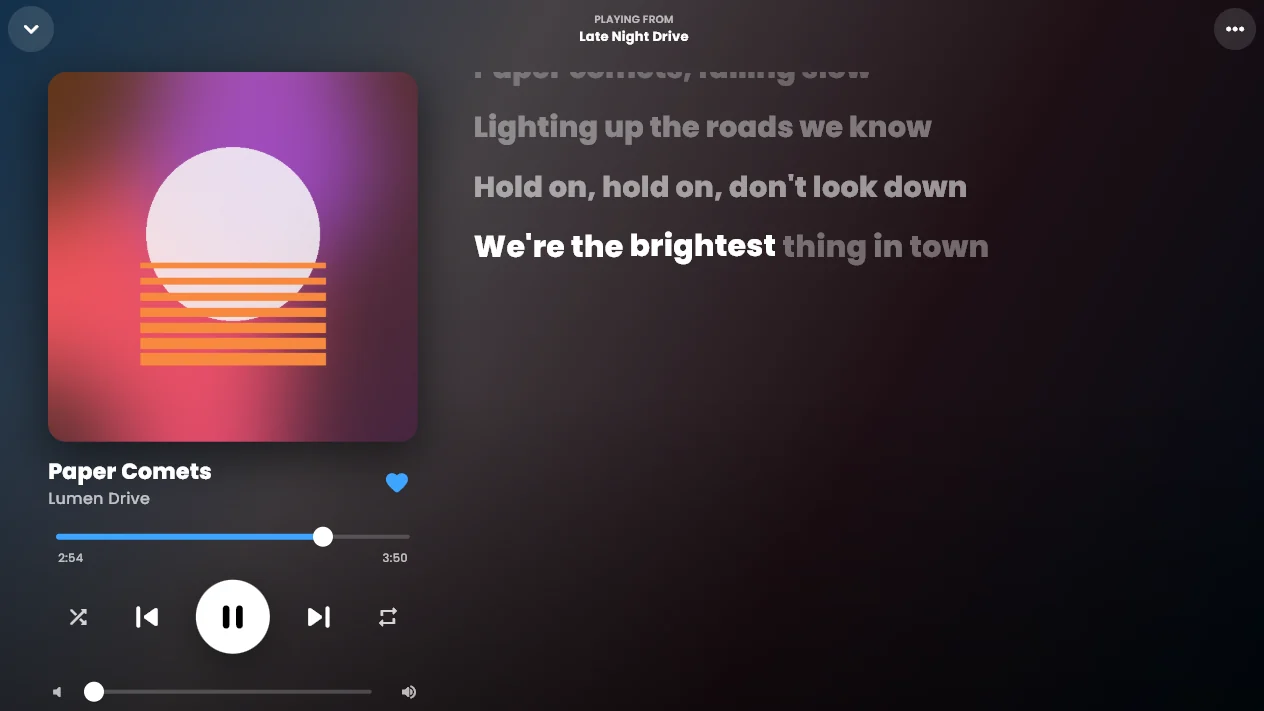
Every word lights up on its exact beat. Pick the style you like best; this demo uses the same timing format the app does.
Word timing comes from NetEase Cloud Music when a song has it. Otherwise Meltify spreads each line's timing across its words, so every song still animates.
- [00:12.40]Every playlist I ever loved
- [00:15.80]melting into one place
- [00:18.90]no signal, no subscription
- [00:22.30]just every word on the beat
A look inside
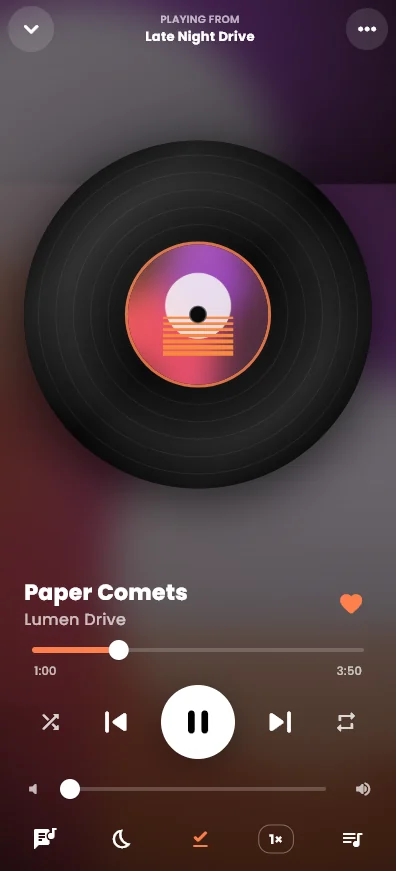
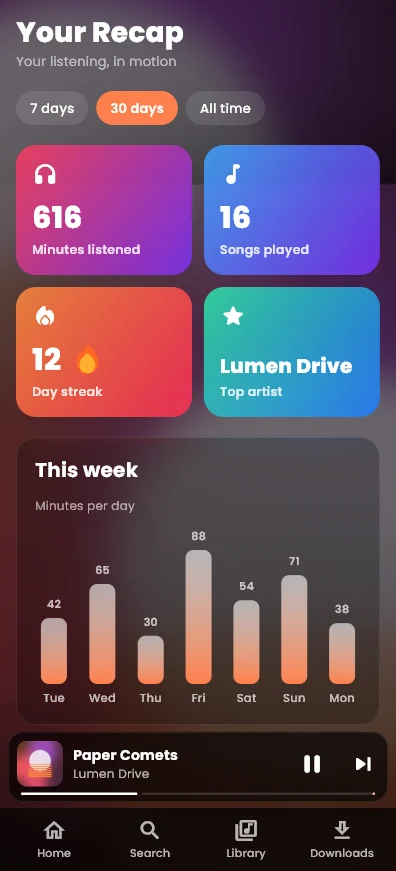
Built for your phone. Just as good on a big screen.
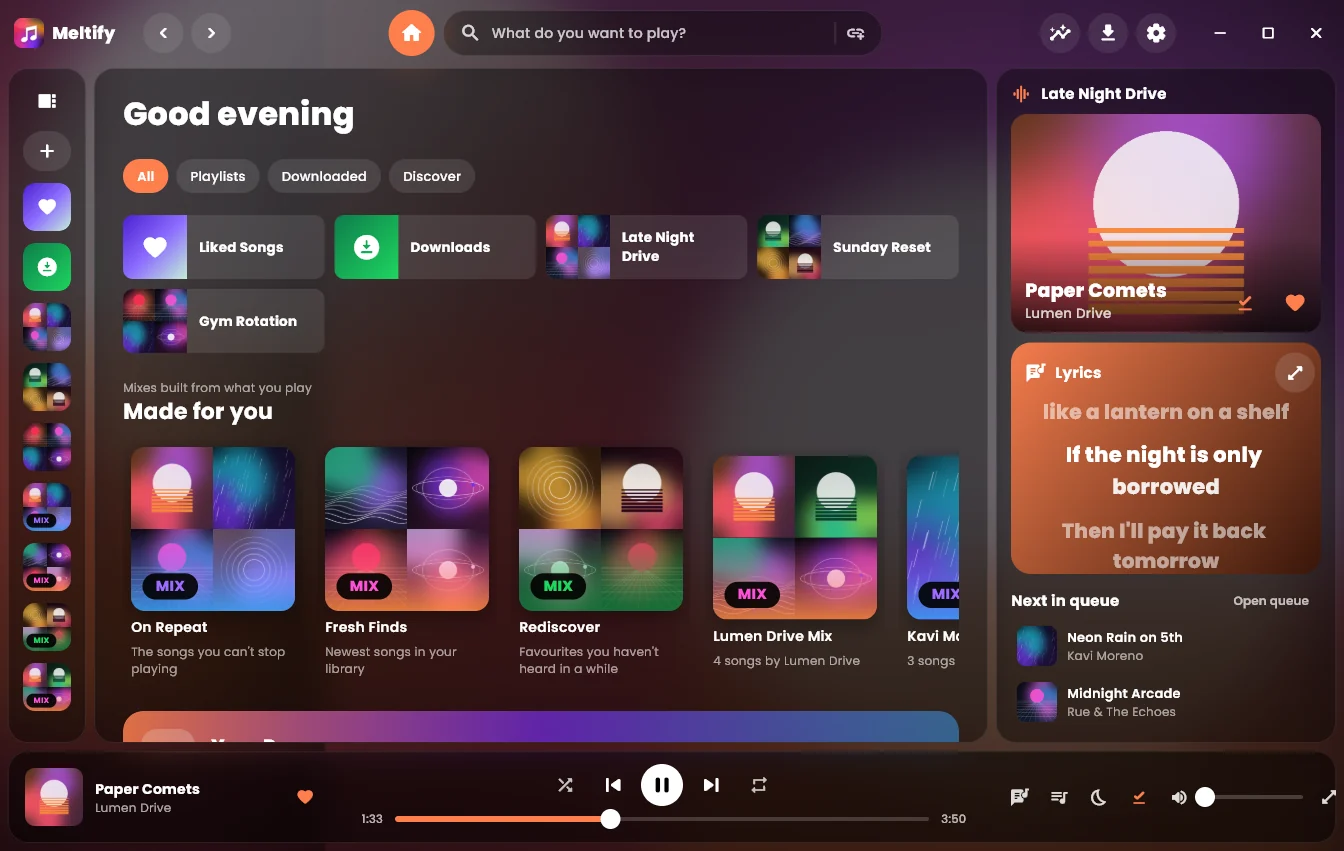
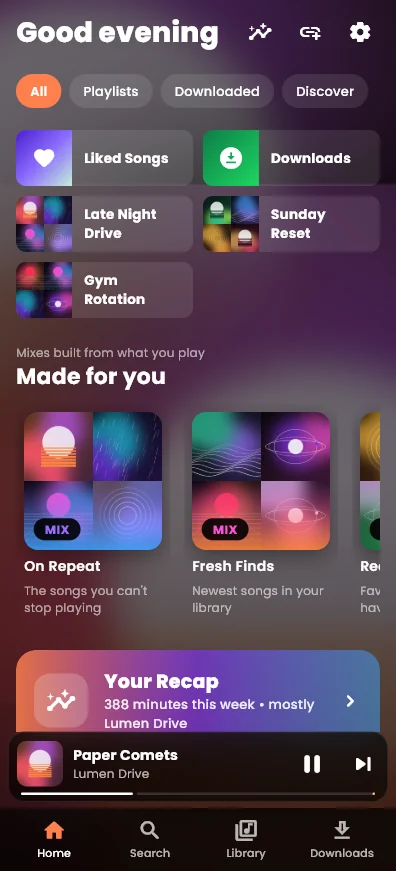
On a computer you get a library sidebar, a lyrics panel and a floating player bar. On a phone, a bottom bar, a mini player and a full-screen player you swipe down to close.
Looks
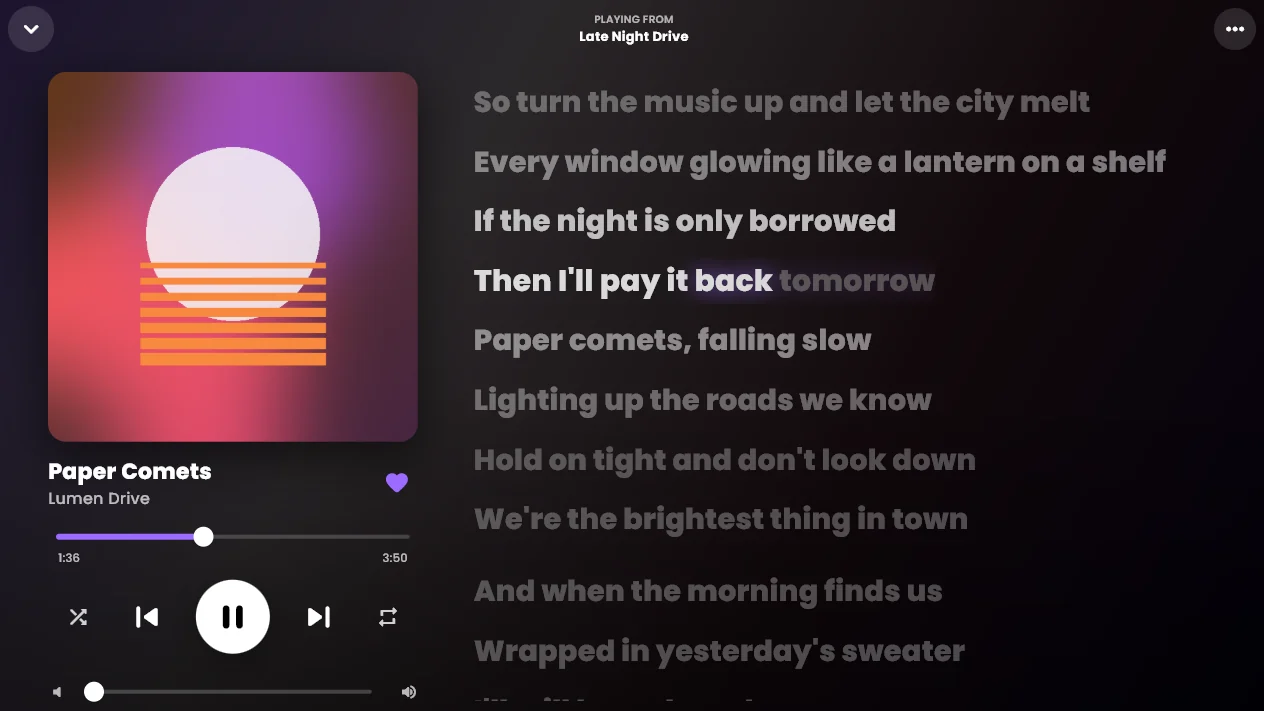
Six looks. One tap each.
Each look sets the colours, background, glass and animations together. Then you can change any of them yourself, down to the corner roundness.
Features
Everything you'd expect, and a few things you wouldn't.
Crossfade
Songs blend into each other over up to 12 seconds, using an equal-power curve so the volume never dips.
Song radio and Autoplay
Start a radio from any song. When your queue runs out, Meltify keeps going with similar music.
Sleep timer
Stop after 5 to 90 minutes or at the end of the current song, with a gentle five-second fade.
Playback speed
From 0.5× to 2×. The lyrics speed up and slow down with the music.
Your Recap
Minutes listened, a daily streak, a weekly chart, and your top songs and artists for 7 days, 30 days or all time.
Made-for-you mixes
On Repeat, Fresh Finds, Rediscover and a mix for each of your top artists, rebuilt as you listen.
Swipe gestures
On a phone, swipe a song right to queue it or left to like it. Swipe the cover to skip.
Colours from the cover
The accent colour and the liquid background change with every song's album art.
20+ animation settings
Page transitions, background motion, cover swipe, bouncy menus, hover lift, and one switch that turns it all off.
Picks up where you left off
Close the app mid-song and it reopens on the same song, at the same second, with the same queue.
Download
Get Meltify. It's free.
One app for every device. Your library stays on the device you use it on.
Windows Your device
Windows 10 or 11, 64-bit. Run the installer and Meltify opens by itself, with shortcuts on your desktop and Start menu.
Download for Windows MeltifySetup.exeAndroid Your device
Most phones from the last several years. Open the APK and allow installing apps from your browser.
Download for Android Meltify.apkMac Your device
Drag Meltify to Applications. The first time, right-click it and choose Open.
Download for Mac Meltify.dmgiPhone Your device
Install the IPA with Sideloadly or AltStore, using your own Apple ID.
Download for iPhone Meltify.ipaWhy isn't it in the app stores? Store rules don't allow apps that save music from YouTube, so Meltify is shared here instead. The apps aren't code-signed yet, so the first time you open them Windows, Mac and Android ask you to confirm. On Windows, choose More info → Run anyway.
Questions
Good to know.
Is Meltify really free?
Yes. No subscription, no ads and no account. Meltify doesn't have servers of its own; it talks directly to the music services and saves everything on your device.
Do I need a Spotify or Apple Music account?
No. Public playlist links work without logging in. Spotify public playlists import their first 100 songs. If you add your own Spotify app key in Settings, you can also import your own playlists in full and your Liked Songs.
Where does the music come from?
Meltify reads the song list from the link you paste, then finds each song on YouTube Music and saves the audio as an M4A file. If it ever picks the wrong version, open the song's menu and choose "Wrong song? Re-match".
What about eSound playlists?
eSound's own curated playlists come from Deezer, so paste the Deezer link. Personal eSound playlists sit behind eSound's login; export them as a CSV and paste the list into Meltify.
Will the animations slow my phone down?
You're in control. Turn on Reduce motion or pick the Minimal look for a calm, still app, or change the animation speed from Relaxed to Snappy.
Is it legal to download songs?
Only download music you have the right to keep offline. Meltify is a player and a library manager; what you put in it is up to you.